Salesforce Summer '23 Release
Exploring the Salesforce Summer '23 Release for Salesforce Platform
Learn about the exciting new features introduced to the Salesforce Platform in the Salesforce Summer '23 Release from Rogier Maaten, Salesforce Architect at Nextview Consulting.
Salesforce UI Updates
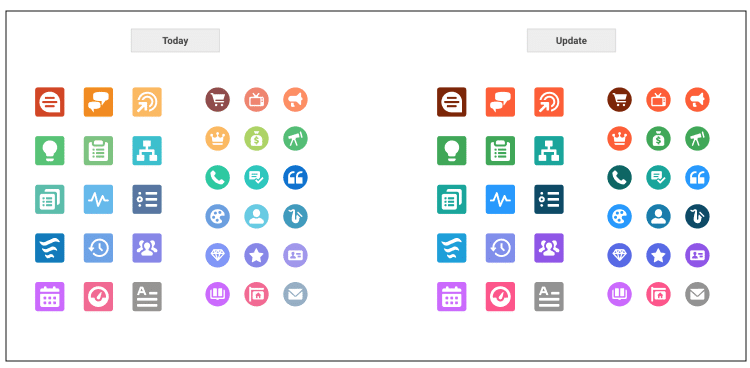
This summer, Salesforce is introducing a big change in its UI. Say good-bye to weak colours and contrasts! Salesforce is now using stronger colors that make it easier to recognise the different UI elements such as buttons and fields.
Try for yourself and search for the differences! You quickly can see that stronger colors and contrasts are used.
Log Automatically Sent Emails
In your business processes, you probably have automatic notifications via email in place somewhere, be it an internal notification to an employee or an external notification to a customer, for example. And don’t you want to see that an email notification has been sent out, especially on customer-focussed records such as accounts and opportunities? To avoid unnecessary and redundant communication, you need to know whether a customer has been contacted already or not.
To achieve that, additional automations needed to be implemented as a workaround before because there was no automatic logging of emails being sent out from within automations in place. And if these additional automations weren’t implemented, you did not have an overview of those emails being sent out at all, which made it difficult to keep track of all customer communications.
With the Summer 23 release you can now finally have the automatic email notifications being logged to a record’s Activity Timeline, completely automatically. So next to your meetings, tasks and logged calls you will find the emails that have been sent out. This comes in handy for example when you have an email being sent out to a certain contact and you want to have this email logged on the contact’s parent account so that on the account you see all notifications to its contacts - in one place. This creates the insight that you need to optimize your communication towards your customers.
Edit fields within reports
Finally generally available for everyone! Although this feature might not sound very exciting at first, it actually increases efficiency in your daily work with reports a lot.
Reports give you insights into how your business is doing, with detailed data from the records in your org. So far, reports were just that: showing you the data. And has it not been a common desire to also just change the data on the records you see there right away? While you needed to navigate to each individual record before to adjust the data, now you can also do adjustments directly on the report - just like in a list view or on a record layout. You simply click on the pencil for editing the data right away - a huge time saver!
Do you want to learn more about the impact of this Release for the Salesforce Platform?
Connect with Nico, Bianca or Lars.

